Flocking (Boids)
A classic Reynolds boids flocking simulation, precomputed and baked into Channels: every boid's position is driven by three tracks — one hundred boids, three hundred tracks.
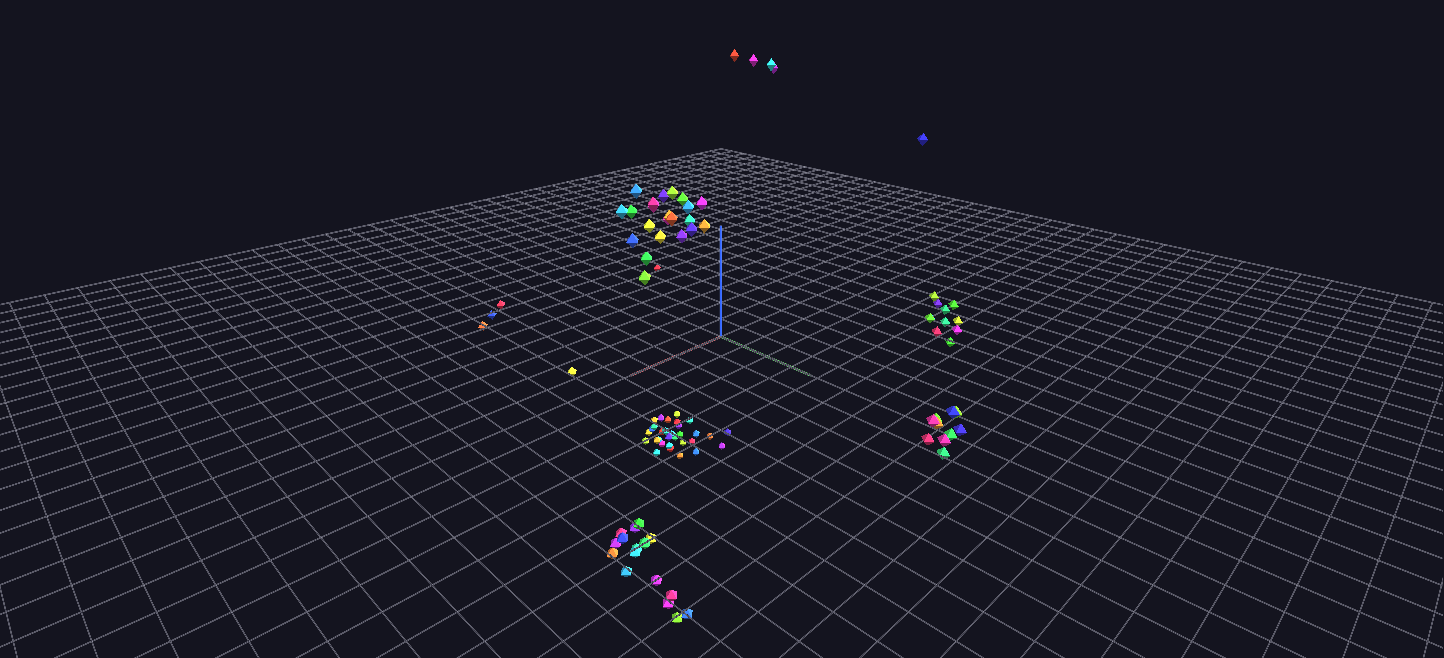
Try it: download this example below (or the full examples set), then open Flocking_Example/Flocking_Example_gv_node.csv — or just drag its folder onto the GlyphViz window. Press Space to start the animation.
What it is
A hundred coloured darts wheel through space as a flock, splitting into sub-flocks and rejoining. It is the classic boids simulation (Craig Reynolds' three steering rules for flocking), run in advance by a script and baked into Channels files, so GlyphViz plays the result back as an ordinary animation. No simulation runs while you watch.
It shows two things at once: what Channels can do when every node has its own path, and how little it takes to make convincing group motion out of three simple rules.
What you see
Each boid is one octahedron, the solid shape that reads best as a small dart at flock scale. Boids are coloured around a hue wheel by their number, so the colour is an identity rather than a measurement. That makes the mixing easy to follow: when a sub-flock splits away you can see which boids went with which, and when two flocks merge the colours blend.
The animation is 1,800 frames, a 60-second loop at 30 frames per second. Press Space, then orbit the camera to follow the flock, or select a single boid and watch the label (Boid 17) travel with it.
The three rules
Every boid, at every step, steers by three forces. Each is a limited steering force, never a direct move, which is why the turns are smooth:
| Rule | What the boid does |
|---|---|
| Separation | steers away from any neighbour closer than a personal-space radius. Close calls count most, so near-collisions dominate |
| Alignment | steers toward the average heading of the neighbours it can see |
| Cohesion | steers toward the centre of the neighbours it can see |
A soft spherical boundary keeps the flock in view: outside a radius of about 90 units a gentle pull returns each boid toward the origin, growing with the overshoot, so there is no wall to bounce off and no sharp reversal. Speed is held between a floor and a ceiling, so no boid hangs motionless and no boid outruns the group.
Nothing in those rules says "flock", and there is no leader. The flock is an emergent effect, which is the point.
Things to try
- Follow one boid. Select it and use Follow Selected so the camera rides along; you will see the flock from inside.
- Watch the colours. A sub-flock that splits from the rest stays together by hue, and the pieces mix again later.
- Look for the loop seam. Flocking is chaotic, so the end of the loop cannot match the beginning. The simulation runs 300 steps before recording so that the first frame is already a formed flock rather than a random scatter, which softens the jump.
- Make your own. Regenerate with a different flock, for example
python generate_flocking_example.py --n-boids 250 --frames 900 --seed 7. Every setting is a constant at the top of the script.
How it is built
The scene is 100 nodes, one per boid, each with no parent and no animation of its own other than position. A boid's translate_x, translate_y and translate_z are each driven by a track, so 100 boids need 300 tracks, and the tracks file is 1,800 rows by 300 columns. That is a large file but a flat one: the Channels engine plays it back frame by frame.
This is the same approach the Multi-Hike Ghost Race uses for recorded GPS paths: whatever produces a path, a simulation or a sensor, can be baked into position tracks and played back. The simulation is O(N²) per frame, comfortable at 100 boids and still feasible at a thousand or more, which takes a minute or two to generate.